What makes a healthcare video worth watching?
The best healthcare videos give the audience a clear way into a difficult subject. A patient may need to understand a service. A clinician may need to see how a device works. A care organisation may need to explain a new process. Those are different communication jobs, even when all three sit under healthcare video marketing.
This collection brings together 15 healthcare video examples across animation, live action, medical device demonstrations and public-health storytelling. Each entry pairs a playable video with a specific creative lesson, so you can use the list to shape a brief rather than simply collect visual references.
We assess each video for clarity of message, suitability for its audience, visual storytelling and how well the format supports the explanation. The notes focus on specific creative decisions readers can apply to their own projects, with examples spanning patient education, healthcare services and medical technology.
Some examples are historical films. Study their communication choices; check current product details and clinical information with the relevant organisation. The notes below analyse creative work, rather than offering medical advice.
15 healthcare video examples at a glance
Start with the audience closest to yours, or work through the full collection.
| Example | Approach | Audience |
|---|---|---|
| 1. WIPA | 2D animation · Inclusive public health | Practitioners and communities |
| 2. Mili | Character animation · Supportive-care platform | Patients, caregivers and care partners |
| 3. Noctana Care | Motion graphics · Health and social-care software | Municipal and care-service teams |
| 4. Cleveland Clinic | Live action · Hospital brand film | Patients, families and hospital staff |
| 5. WHO — quality of care | 2D animation · Public-health education | Healthcare teams and the public |
| 6. Nodal | Character animation · Healthcare technology | People exploring a surrogacy platform |
| 7. Zocdoc | Product screens · Booking journey | Healthcare practices evaluating the patient experience |
| 8. Oscar Health | Presenter-led live action · Care-service overview | Members learning about a care service |
| 9. Medtronic Micra | 3D medical animation · Device explanation | Patients learning about a device |
| 10. GE HealthCare | 3D product visualisation · Medical equipment | Imaging professionals and equipment buyers |
| 11. QardioMD | 2D animation · Remote-monitoring platform | Healthcare professionals |
| 12. Lifekey | Character animation · Wearable technology | People considering a wearable service |
| 13. WHO — the black dog | Illustrated narrative · Mental-health awareness | The public and support networks |
| 14. Butterfly iQ | Live demonstration · Medical technology | Technology and healthcare audiences |
| 15. Breast Cancer Now | Live action · Awareness campaign | People affected by breast cancer and their communities |
2D animation · Inclusive public health · Piximove example
1. WIPA: Make inclusion visible in the details
Piximove portfolio reference · Watch on YouTube ↗
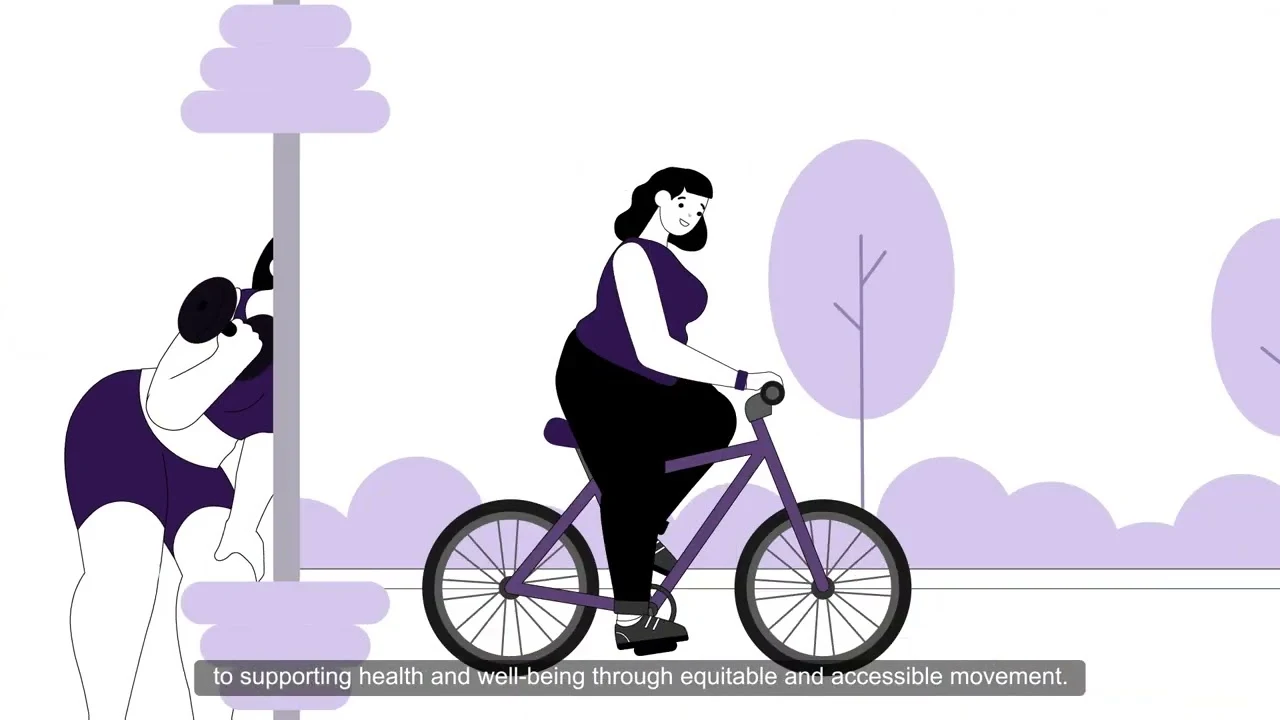
WIPA stands for Weight-Inclusive Physical Activity. This Piximove film, created with Western University’s School of Kinesiology, uses a restrained purple palette and illustrated everyday movement to introduce the subject. Its story progresses from barriers to participation to practical changes in facilities, provider behaviour and policy. Different bodies belong in the same visual world; inclusion is part of the illustration and story, rather than a line added at the end.
Give an educational framework something concrete to point to. A changing room, a piece of equipment or a conversation can communicate an abstract principle more clearly than a page of definitions. Keep those examples connected through a consistent character and illustration system.
Where this approach fits
Public-health explainers, university research communication and community education. For the production approach, explore our WIPA case study. Explore the WIPA case study ↗
Character animation · Supportive-care platform · Piximove example
2. Mili: Introduce the platform through a person’s experience
Piximove portfolio reference · Watch on YouTube ↗
Mili’s animated explainer introduces a virtual supportive-care platform for people affected by cancer. After setting out the context, it follows Mabel through different moments in her journey and shows how the service enters her everyday life. Illustrated people, video-call panels and a mobile interface connect the human story to the product. The platform has several audiences, but the patient gives the explanation a centre.
For a healthcare platform with many services, organise the script around moments of need. Introduce each capability when it answers a question in the story. This gives a long feature list a sequence that people can follow without memorising every option.
Where this approach fits
Digital-health platforms and patient-support services that need to explain both the experience and the breadth of their offer. Read our Mili case study for more on the visual approach. Explore the Mili case study ↗
Motion graphics · Health and social-care software · Piximove example
3. Noctana Care: Turn a fragmented process into a readable sequence
Piximove portfolio reference · Watch on YouTube ↗
This Piximove example focuses on administrative workflows in health and social care. A sequence of icons maps tasks such as assessments, planning and scheduling before the film introduces a unified platform. Soft colour blocks, short labels and modular interface panels give an operational subject a clear visual structure. It is a software workflow story, rather than a patient treatment explanation.
When explaining healthcare automation, show the work before showing the technology. Map the handoffs, introduce the proposed change and let the interface connect the two. Keep any time-saving claims separate from the creative reference: a film’s claim is not independent evidence of a result.
Where this approach fits
Healthcare SaaS, care coordination and operational software where the buyer needs to understand how separate tasks fit together.
Live action · Hospital brand film
4. Cleveland Clinic: Let the viewer see beyond the surface
Published by Cleveland Clinic · Watch on YouTube ↗ · Reference roundup ↗
People move through corridors, waiting areas and treatment spaces while short captions reveal concerns and experiences that a passer-by could not see. The hospital setting stays familiar; the text changes how we interpret it. Instead of explaining a list of services, the film gives attention to the individual behind each encounter. That makes it a useful healthcare marketing video to study alongside more direct explainers.
On-screen text can add a second layer of meaning rather than repeat what is already visible. If your brand story is about care, find observable moments that express the value. A quiet scene can give the audience more room to reflect than a string of promotional statements.
Where this approach fits
Hospital brand communication, staff orientation and values-led campaigns. Use it as a storytelling reference, not evidence of patient outcomes.
2D animation · Public-health education
5. WHO — quality of care: Build an explanation at more than one scale
Published by World Health Organization · Watch on YouTube ↗ · Reference roundup ↗
WHO’s animated overview moves between a broad view of healthcare and recognisable places and interactions. Maps, facilities, people and handwashing imagery help give a general concept a practical setting. The visual vocabulary changes with the level of the explanation, while the narration keeps the subject connected. This is useful reference material for a topic that spans both systems and individual encounters.
Choose the right scale for each point. A map can explain a network; a close view of an interaction can explain what that network means to a person. Do not ask one diagram to carry every level of a healthcare story.
Where this approach fits
Public-health education, service-quality initiatives and internal communication across healthcare organisations.
Character animation · Healthcare technology
6. Nodal: Give a sensitive service a calm visual tone
Published by Vidico · Watch on YouTube ↗ · Reference roundup ↗
Vidico’s Nodal film combines illustrated people and domestic settings with simple graphic statements. Its muted greens and spacious compositions keep the platform introduction visually calm. The people establish the context before the graphics describe the service. The result offers a useful reference for explaining technology in a situation where the audience’s concerns are deeply personal.
Establish an emotional tone before choosing transitions or effects. For a sensitive service, space, colour and pacing can help the explanation feel considered. Keep the product’s role precise instead of allowing a reassuring visual style to imply guarantees.
Where this approach fits
Healthcare service introductions and patient-facing platforms where both process clarity and tone matter.
Product screens · Booking journey
7. Zocdoc: Show the journey before discussing the business benefit
Published by Zocdoc · Watch on YouTube ↗ · Reference roundup ↗
Despite its patient-focused title, this video also addresses practices considering Zocdoc. It follows a search-and-booking journey using browser views, provider listings, availability and follow-up steps. Bright backgrounds separate stages and make the screen content easier to locate. The patient’s task supplies the narrative, while the ending connects that experience to the practice’s perspective.
A healthcare product demo can serve a business buyer without losing sight of the patient. Make the user’s task legible first, then explain why that experience matters to the organisation buying the software. Give important interface steps enough time to register.
Where this approach fits
Appointment platforms, patient portals and healthcare marketplace demos. Treat the interface and figures as part of the published film, not current product specifications.
Presenter-led live action · Care-service overview
8. Oscar Health: Use a human voice to explain ongoing support
Published by Oscar Health · Watch on YouTube ↗ · Reference roundup ↗
A presenter speaks directly to the camera in a bright, uncluttered setting. The framing stays steady, allowing the voice and captions to carry a short overview of support between appointments. There is little visual competition for the explanation. Among animated healthcare video examples, this film is a useful reminder that the right person and a focused script can be enough.
Use a presenter when the audience’s main question is about the experience of receiving help. Write around concrete interactions, keep the delivery conversational and make captions readable. The person should explain the service, not merely appear beside a list of benefits.
Where this approach fits
Member onboarding and care-service introductions. The original description contains dated eligibility information; this is a creative reference, not guidance about current coverage or treatment.
3D medical animation · Device explanation
9. Medtronic Micra: Show what a camera cannot easily reveal
Published by Medtronic Cardiac and Vascular · Watch on YouTube ↗ · Reference roundup ↗
This patient animation uses anatomical views and product imagery to explain the Micra device and its placement. The film moves between the body, the device and simple presentation frames, giving viewers different levels of context. The clinical subject benefits from a visual medium that can isolate a structure and show relationships beneath the surface.
Use 3D medical animation when spatial understanding is essential. Orient the viewer before moving into a close-up, and preserve that orientation as the scene changes. A clear relationship between the device and the body matters more than adding detail everywhere.
Where this approach fits
Medical device explainers and procedure introductions. Any new clinical animation needs qualified review of the anatomy, sequence and claims; this historic film is not a current treatment recommendation.
3D product visualisation · Medical equipment
10. GE HealthCare: Move from a product reveal to useful detail
Published by GE HealthCare · Watch on YouTube ↗ · Reference roundup ↗
GE HealthCare introduces the MRI system with luminous purple graphics and dimensional equipment views. The sequence also includes imaging examples and feature-led text. The film shifts between visual spectacle and a closer look at what the product is presented as doing. It provides a different reference from patient education: this is a professional equipment story with a launch-film sensibility.
Separate the reveal from the explanation. A distinctive opening can establish the product’s identity, but technical buyers also need readable evidence and context. Plan where the film should slow down so that a feature is understood rather than merely noticed.
Where this approach fits
Medical equipment launches, conference displays and sales introductions. Verify current specifications separately from any reference film.
2D animation · Remote-monitoring platform
11. QardioMD: Explain the connection between home and clinic
Published by Qardio · Watch on YouTube ↗ · Reference roundup ↗
QardioMD uses a simple illustrated world to connect patients, clinicians and remote-monitoring technology. Scenes of care, a consultation and time passing give the software a practical setting. The relatively restrained palette keeps people and objects distinct. Rather than presenting digital health as an abstract network, the film places it in familiar moments of work and care.
When a product connects two locations or roles, make both ends visible. Show who records information, who receives it and what task that supports. A healthcare software explainer becomes easier to follow when the information has an understandable path.
Where this approach fits
Remote-monitoring platforms and clinician-facing software. This is a historical product film; its inclusion does not verify present-day availability or clinical claims.
Character animation · Wearable technology
12. Lifekey: Start with the situation, then reveal the technology
Published by INOVIT · Watch on YouTube ↗ · Reference roundup ↗
INOVIT’s Lifekey explainer puts a wearable in everyday situations, including outdoor movement and interaction with a phone. Red accents help important people and objects stand out against light backgrounds. The film alternates between a wider scene and a closer view of the interaction, giving the product a place in the user’s day.
For connected health or safety products, a scenario can explain the reason to care before a technical diagram explains the mechanism. Keep the scenario specific, then show the interaction clearly. Avoid letting an idealised situation imply that a product guarantees someone’s safety.
Where this approach fits
Wearable technology and consumer-facing health services that need to connect a physical object to a digital experience.
Illustrated narrative · Mental-health awareness
13. WHO — the black dog: Carry an abstract experience through one visual metaphor
Published by World Health Organization · Watch on YouTube ↗ · Reference roundup ↗
Writer and illustrator Matthew Johnstone’s story, published by WHO, uses a black dog as a recurring presence. Its relationship with the central character changes across everyday situations. A single recognisable motif gives continuity to a subject that would be difficult to photograph directly. The drawing style allows the metaphor to change scale and behaviour without leaving the world of the story.
A sustained metaphor can do more work than a collection of unrelated icons. Test whether it explains the experience across several scenes, not just in the opening. For a sensitive subject, preserve nuance rather than implying that one visual represents everyone’s experience.
Where this approach fits
Mental-health awareness and educational storytelling. The film is included for its narrative craft; the article is not a diagnostic or treatment resource.
Live demonstration · Medical technology
14. Butterfly iQ: Let the demonstration provide the visual evidence
Published by IEEE Spectrum · Watch on YouTube ↗ · Reference roundup ↗
In this IEEE Spectrum video, Butterfly Network employees demonstrate a handheld ultrasound tool. The viewer sees the probe in use and the image on a phone, with the camera moving close enough to connect the physical action to the screen. It is an editorial demonstration, not a Butterfly-produced brand film. Its comparatively informal presentation makes a useful contrast with polished 3D equipment launches.
When the value of a product can be demonstrated, show the action and its visible output together. Keep the relevant screen readable and explain what the audience is looking at. Production polish should support the demonstration rather than obscure the evidence.
Where this approach fits
Medical technology demos, specialist media and product evaluation content. A demonstration of one action is not evidence of wider clinical performance.
Live action · Awareness campaign
15. Breast Cancer Now: Make room for the difficult conversation
Published by Ads of Brands · Watch on YouTube ↗ · Reference roundup ↗
The film places its central character in a consultation, a kitchen, a bedroom and other familiar settings. Direct looks towards the camera draw the viewer into the story, while changes of setting place the subject in everyday life. The closing group scene and invitation to talk give the campaign somewhere to lead. The reference linked here is the Ads of Brands upload featured in Vidico’s roundup.
An awareness film needs a destination for the attention it earns. Decide what conversation, support resource or action the ending should introduce, then build towards it. A credible emotional story does not need every scene to carry an explicit sales message.
Where this approach fits
Charity campaigns and support-service awareness. Credit the campaign and its hosting publisher clearly when using an external upload as a reference.
How to choose the right healthcare video format
Choose the audience’s question before choosing the animation style. A medical explainer video and a hospital brand film can both be valuable, but they should not be judged against the same brief.
- Explain an unfamiliar idea. Use 2D animation, a clear metaphor or a carefully sequenced illustration. WIPA and WHO’s films show different ways to give an idea a recognisable visual form.
- Show a healthcare service or software workflow. Connect the person’s task to the screen. Mili, Noctana Care, Zocdoc and QardioMD offer references for different audiences and levels of detail. Explore our product demo video production for this kind of story.
- Reveal anatomy or a medical device. Consider 3D animation when the essential relationship is hidden, too small or difficult to film. Use a live demonstration when the action and its output can be shown clearly.
- Introduce people and values. A presenter, a lived situation or a carefully directed scene may communicate more than an animated feature list. Oscar Health and Cleveland Clinic provide contrasting examples.
For a closer look at the production process, explore our Weight-Inclusive Physical Activity case study and Cancer Care Associates of York case study. They show how a defined healthcare message develops through story, illustration and animation.
Turn your references into a useful production brief
Write one sentence for the viewer, one for the question and one for the next step. For example: “A practice manager needs to understand how patients book through our platform before arranging a demo.” That sentence gives the script a stronger starting point than “make a modern healthcare animation.”
Then identify what needs to be shown, which statements need evidence, who will review the content and where the video will appear. Plan captions, readable on-screen text and a useful written summary alongside the film. Bring subject specialists into the script and storyboard review, while changes are still straightforward.
Finally, choose a measure that matches the job: understanding for education, completion of a demonstrated task for onboarding, or a relevant next action for marketing. Views alone cannot tell you whether the explanation helped. For a broader planning framework, read our healthcare video marketing guide.
Healthcare explainer video questions
What is a healthcare explainer video?
A healthcare explainer video introduces a health-related service, product, process or idea in a structured visual story. It may use character animation, motion graphics, product screens, 3D medical animation or live action. Its defining feature is a clear explanation for a specific audience, rather than one particular style.
How is patient education different from healthcare marketing?
Patient education helps someone understand a topic or prepare for an experience. Healthcare marketing introduces an organisation, service or product and usually supports a next step. A film can do both, but the script should make its purpose clear and distinguish educational information from promotional claims.
Is animation or live action better for healthcare videos?
Use animation when the important idea is invisible, spatial or difficult to capture. Use live action when a person, place or observable demonstration is central to the explanation. Combining them can work well when each medium has a distinct role.
How long should a healthcare explainer video be?
Length depends on the question and placement. A brief service introduction needs less detail than a patient preparation film or a specialist device demonstration. Outline the necessary steps first, then remove repetition. If the script answers several unrelated questions, consider a short series instead of one crowded video.
What should we prepare before commissioning healthcare animation?
Bring a defined audience, the core message, source material for factual claims, brand guidance, relevant product screens and the desired next action. Identify the people responsible for subject review and approval. References are most helpful when you can name the specific choice you like: the pacing, a diagram, the tone or the way a workflow is shown.
Sources and credits
Video titles, publishing channels and creative details were checked on November 16, 2026. Each example includes a direct link to the published video, so readers can review it alongside the analysis. All videos remain hosted by their respective publishers.
Also exploring software storytelling? See our 12 best SaaS explainer video examples for more approaches to product communication.